Free · Android · iOS · In development
Shoot the roll. Drop it off. Wait.
Remember film? You had 24 shots and no screen to check them on. You dropped the roll at the drugstore and waited days to see what you got. Throwback brings that back: pick a camera from the bag, load a film, shoot the whole roll without seeing a frame, and wait for the envelope. The light leaks, the grain and the occasional dud come with it.
The wait is the point
Phones made photos instant and endless. Most of them never get looked at again. Film was different: every frame cost something, you couldn’t check it, and opening the envelope was an event.
Throwback is for people who miss that, people who never shot film, and anyone tired of taking forty photos of the same thing and looking at none of them. Days later, the envelope comes back with prints, mounted slides or a contact sheet.
What makes it different
Real cameras and a real wait. Film-look apps usually give you lots of camera looks with instant review, or one look with a waiting gimmick. Throwback gives you a bag of period cameras and a true no-peeking roll with a lab wait.
Formats nobody else has. 110 cartridge, Disc and square 126 cartridge, alongside 35mm and half-frame.
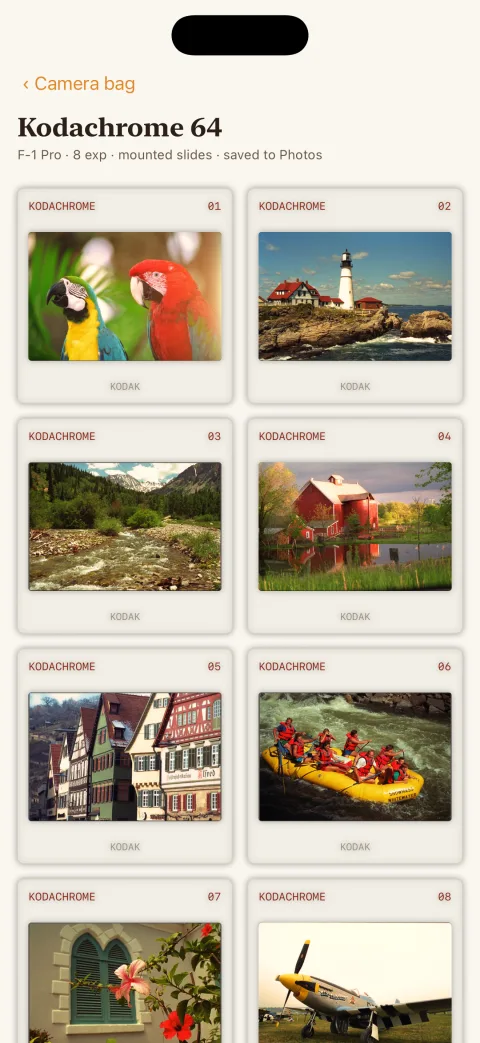
Slide film you can get wrong. Slides come back mounted on a light table, and they don’t forgive a bad exposure. They behave like slides, not like a colour filter.
Your photos can’t get lost. Losing undeveloped photos to a crash or a reinstall is the big complaint about apps like this. Throwback was built and tested so that can’t happen.
The camera bag · 7 cameras
Each one shoots like the real thing.
Every camera is named for its era, with a nod to the classic that inspired it. Each has its own lens, its own way of winding on, its own flash and its own habits.
QuickPic 27
Inspired by the Kodak FunSaver · 1994
The disposable. 27 exposures that count down, fixed focus, one shutter speed and a thumbwheel. Hold the flash button until the ready lamp glows, or it comes back murky indoors.
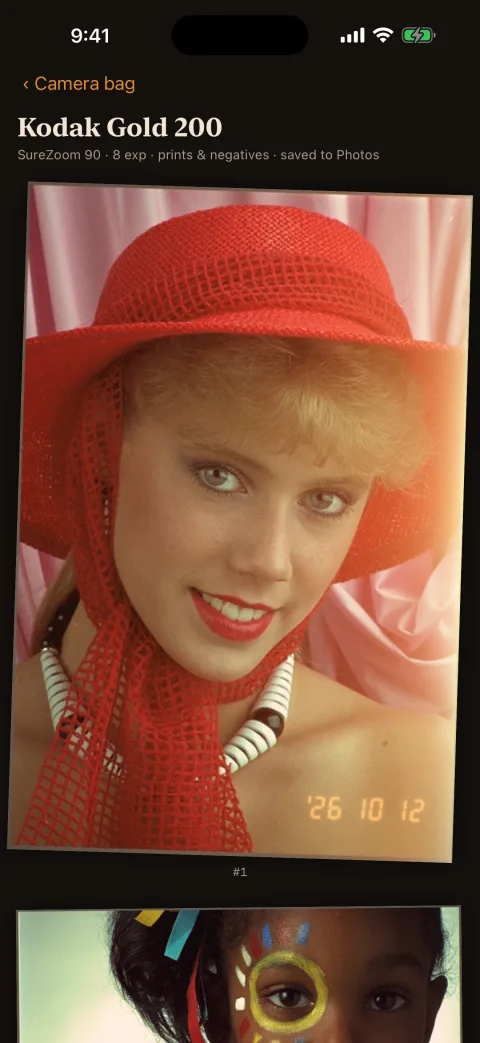
SureZoom 90
Inspired by the Olympus Stylus · 1993
The 90s family point-and-shoot. Auto everything, a motor that winds itself, auto/on/off flash, and the orange date in the corner if you want it. 24 or 36 exposures.
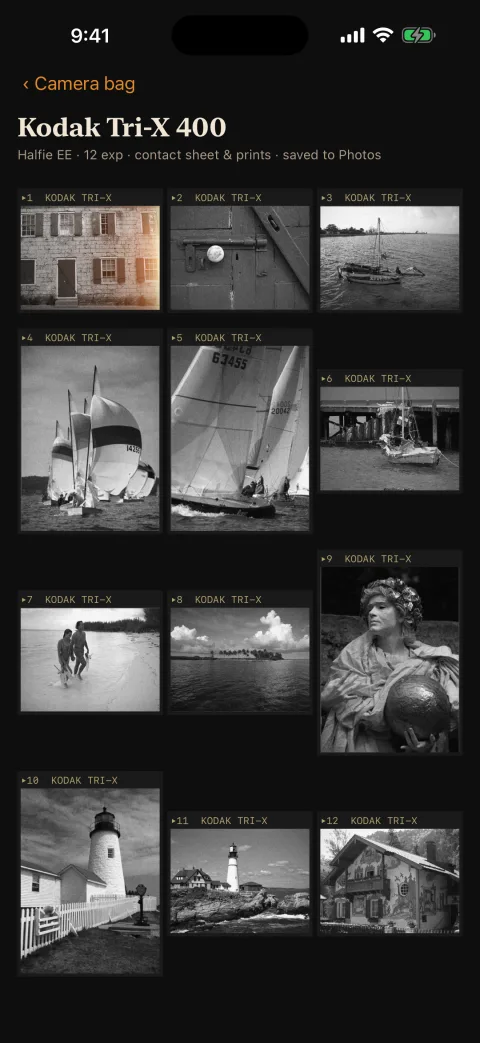
Halfie EE
Inspired by the Olympus Pen EE · 1961
Half-frame: two pictures on every 35mm frame, so 48 or 72 shots a roll. Automatic exposure, no flash, thumbwheel wind.
F-1 Pro
Inspired by the Canon F-1 · 1971
The professional SLR: the sharpest lens in the bag, a meter you can trust, a Speedlite and a wind lever. You look through the lens, so no fingers in the frame.
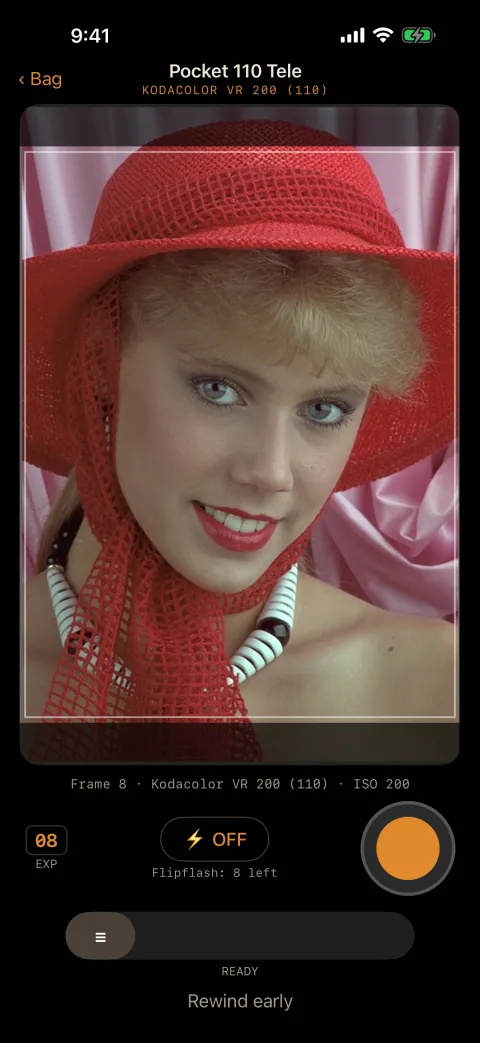
Pocket 110 Tele
Inspired by the Kodak Pocket Instamatic · 1978
The 110 cartridge, wound with a push-pull slide. A Flipflash bar with 8 flashes, then you fit a new one. 12 or 24 exposures.
Disc 15
Inspired by the Kodak Disc 4000 · 1982
Fifteen tiny frames on a spinning disc. The flash decides for itself, and the pictures come back soft and very grainy.
Cube 126
Inspired by the Kodak Instamatic 104 · 1965
Square pictures from a 126 cartridge, with a Flashcube that turns after each of its 4 flashes. 12 or 20 exposures.
17 films
Each film has its own colour, contrast and grain, and each camera only takes the films its format really used. These are interpretations of classic stocks, not lab-certified copies.
35MM · COLOUR PRINT · 4
The drugstore films
The warm, golden 90s snapshot film and its faster sibling, a cooler one with those greens, and a soft portrait film that’s kind to skin.
35MM · SLIDE · 6
Slides
The legendary deep, rich slide film in three speeds, plus a cool one, a neutral one and a hyper-saturated landscape film.
35MM · BLACK & WHITE · 3
Black and white
A contrasty, gritty classic, a gentler one, and a smooth black and white that the lab develops like colour.
110 · 126 · DISC · 5
The little formats
The colour and black-and-white films that came in cartridges and discs. Small negatives, big grain.
What it does
The same on Android and iPhone.
LOAD AND SHOOT
Load film
Pick a film and how many exposures. Each film shows how long the lab will take.
LOAD AND SHOOT
No review. Ever.
There’s no screen to see what you shot until the envelope comes back.
LOAD AND SHOOT
Frame lines
The viewfinder shows each format’s shape: 3:2 for 35mm, 4:3 for half-frame, square for 126, and the 110 and Disc frames.
LOAD AND SHOOT
Wind on
Drag the thumbwheel, work the 110’s push-pull slide, or let the motor do it. You can’t shoot again until you’ve wound on.
LOAD AND SHOOT
Period flashes
A disposable flash you charge, auto/on/off, always-auto, and Flipflashes and Flashcubes that run out. The phone’s own flash fires too, so close subjects really are lit.
LOAD AND SHOOT
Frame counter
Like the little window on the camera: disposables count down, the rest count up. Sometimes a roll squeezes out a bonus frame or two.
THE LAB
Drop it off
Finish the roll, or rewind early and the unshot frames come back blank. Then hand it to the lab.
THE LAB
A real wait
Colour print film takes 3 days, black and white and slides 4, and the classic slide film that was mailed away to be developed takes 7.
THE LAB
Several rolls at once
Keep shooting other cameras while a roll is at the lab. A lab ticket shows when each one will be ready, and a notification says when your pictures are back.
THE ENVELOPE
Tear it open
A photo-finishing envelope you tear open. Inside: prints for colour film, mounted slides on a light table, or a contact sheet for black and white.
THE ENVELOPE
Saved when you open it
Each picture goes to your phone’s photos when you open the envelope, never before, so nothing spoils the surprise. Every roll stays in the app’s albums.
THE ENVELOPE
Full screen and share
See each picture with its frame number and date, and share it with the phone’s share sheet.
How the pictures look
Mistakes are part of it.
The looks are hand-tuned image processing on the phone, not AI. Throwback reads how bright each scene really was and works out what that camera would have done with it, at about the rate things really went wrong.
Every camera has its lens. Plastic softness and dark corners on the cheap ones, colour fringing at the edges, crisp glass on the SLR.
Every format has its grain. A Disc negative is tiny, so its prints are soft and grainy. 35mm is clean.
Exposure is real. Colour print film forgives too much light, but dark frames print muddy. Slide film doesn’t forgive: a stop off shows.
Flash saves dark rooms. With that harsh, direct-flash look. Without it, auto cameras get camera shake in dim light.
Accidents happen. Light leaks, especially on the first frame of a hand-loaded roll, the odd fingertip over a cheap lens, and the occasional blank frame the lab didn’t print.
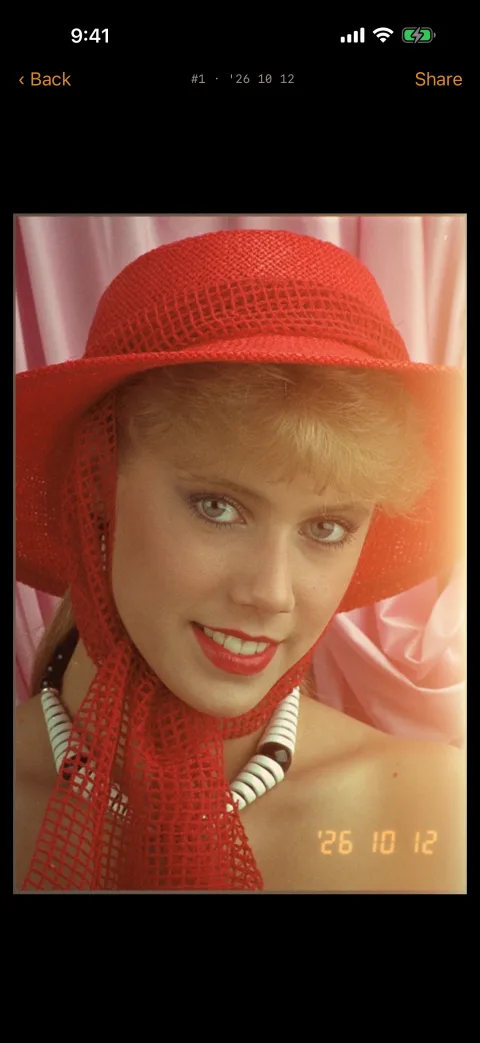
The orange date. The seven-segment date imprint in the corner, on the point-and-shoot, if you turned it on.
In use
Screens from the current iPhone build; the Android app looks the same. The rolls were developed by the app’s own darkroom from a classic set of photographic test images. On the camera screens, a still photo stands in for the live viewfinder.
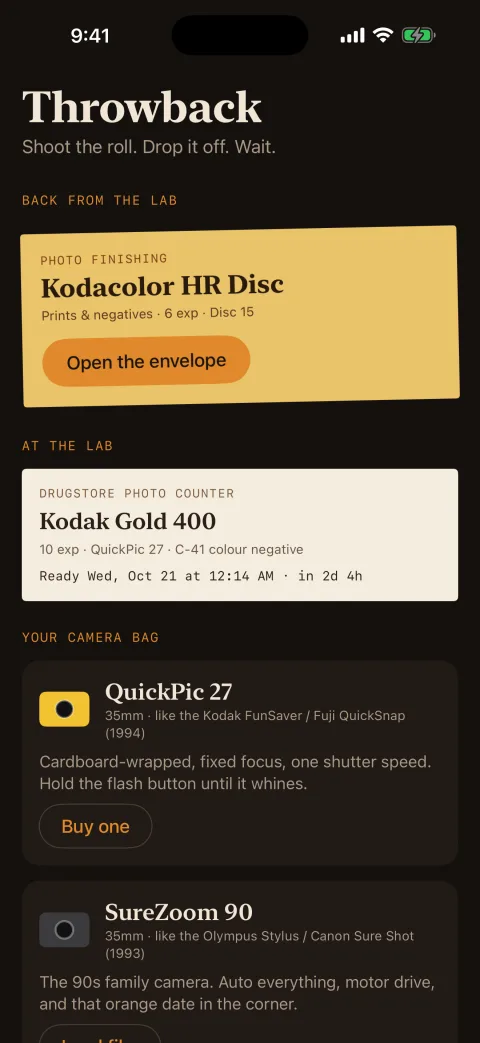
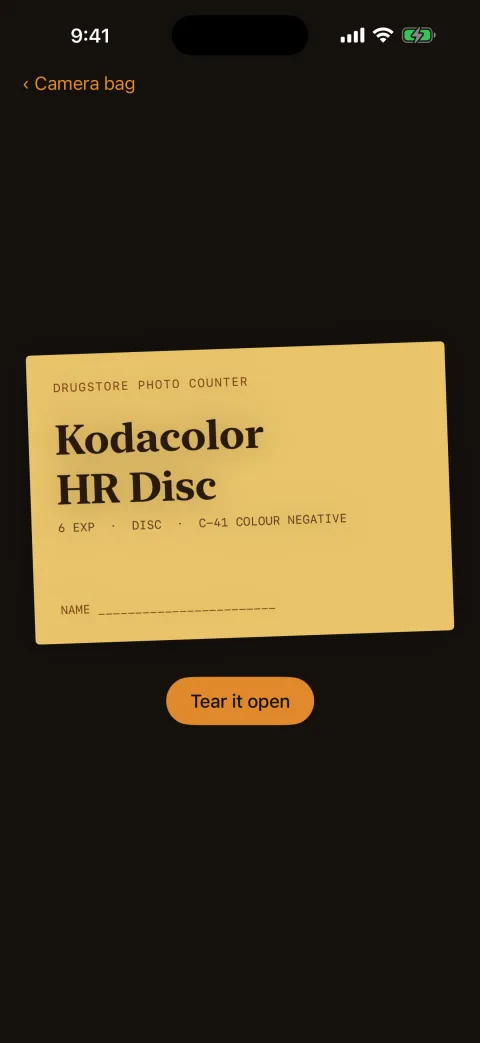
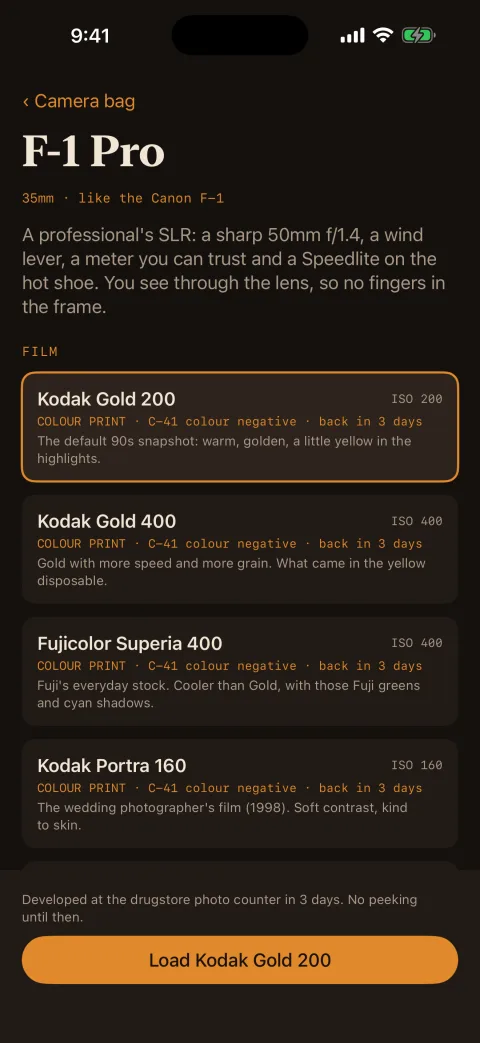
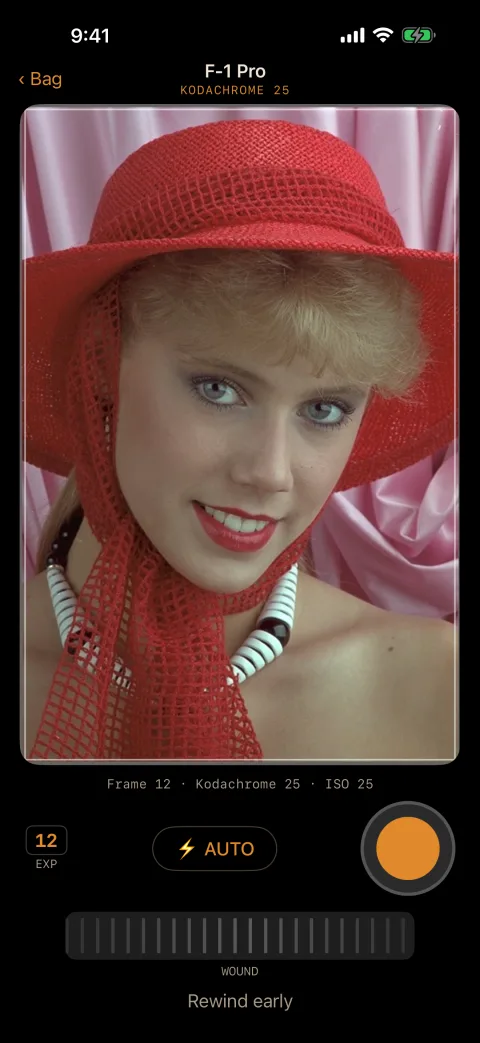
How a roll goes
01
Pick a camera. Choose one from the bag and tap Load film (or Buy one, for the disposable). Pick the film and the number of exposures.
02
Shoot. Frame inside the lines and press the shutter. Then wind on.
03
Mind the flash. On the disposable, hold the flash button until the lamp glows. When a Flipflash or Flashcube runs out, fit a new one.
04
Drop it off. Finish the roll, or rewind early, and take it to the lab. The ticket says when it’ll be ready.
05
Wait. Shoot something else in the meantime.
06
Open the envelope. When the notification comes, tear it open, tap a picture to see it full screen, and share it. It’s in your phone’s photos too.
What it doesn’t do
No peeking, and no skipping the wait. There’s no instant preview, and no way to pay to develop sooner.
It doesn’t edit or import. It can’t develop photos you already have, and a roll can’t be re-developed with a different film.
No video, no double exposures, no manual controls. Even the SLR meters for you.
No account, no cloud, no feed. Share uses your phone’s share sheet, and that’s all.
On iPhone, it develops while the app is open. The notification still arrives on time, and the roll is ready the next time you open Throwback. Android develops in the background.
Not in the stores yet. It runs on my own phones for now. It isn’t affiliated with any camera or film company.
Free
No film to buy. No lab bill.
It will be free on both stores. There’s no purchase, no subscription and no way to pay to skip the wait. It’s the whole app.
01
No ads
Free doesn’t mean you’re the product. Nothing is selling your attention.
02
No account
No sign-up, no email, no sign-in.
03
No internet
No analytics, no tracking. On Android it doesn’t even have the internet permission; on iPhone it makes no network calls.
04
Nothing gets lost
A shot only counts once it’s safely saved. Tested by killing the app mid-shot, restarting the phone with a roll at the lab, and reinstalling.
Your rolls stay on your phone
Undeveloped frames wait inside the app, out of your gallery, until you pick the roll up. Then the prints go to your own photos. The “lab” is your phone. RotherTech never sees a frame.