A workout tracker that tells you when to add weight.
Old Iron is for lifting at home, and it’s built around progressive overload. It plans each day, tells you when you’ve earned more weight, and rotates exercises so you don’t plateau. Strength first, cardio included, with a Pixel Watch app for your rest timer, sets and heart rate. Everything stays on your phone.
I train in a home gym, and I wanted an app that did the thinking a coach would: what to lift today, whether I’d earned more weight, and when a lift had stalled and needed swapping for something else. Most trackers just record what you did. Old Iron decides what you do next.
It’s written in the voice of an old guy at the gym: dry, a bit sarcastic, mostly at its own expense. The jokes are in the copy. The numbers are deadly serious.
What makes it different
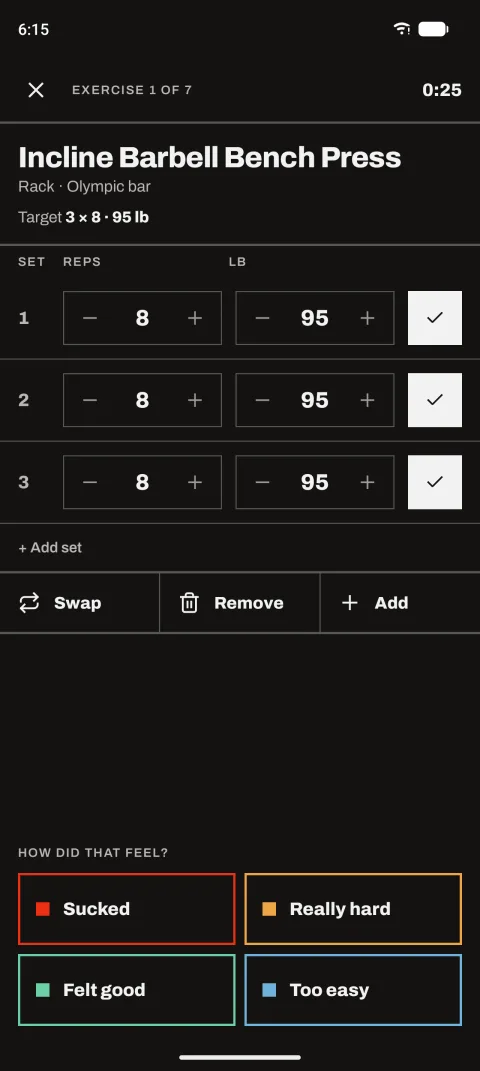
How it felt sets the next target. Rate each exercise and it adds a rep, adds weight, holds or backs off next time.
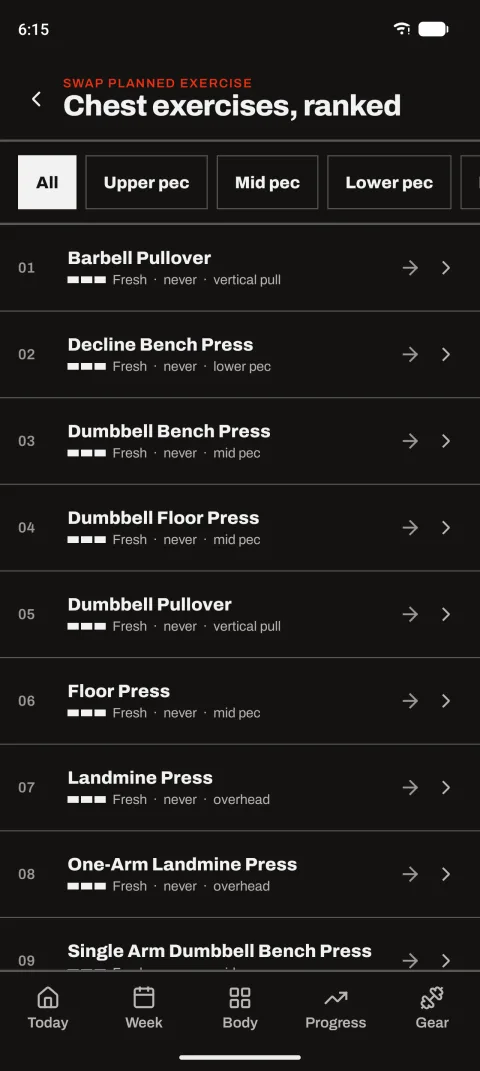
It rotates exercises on purpose. Picks are ranked by how long since you did them, how they felt and whether you’re progressing. Stalled lifts sink.
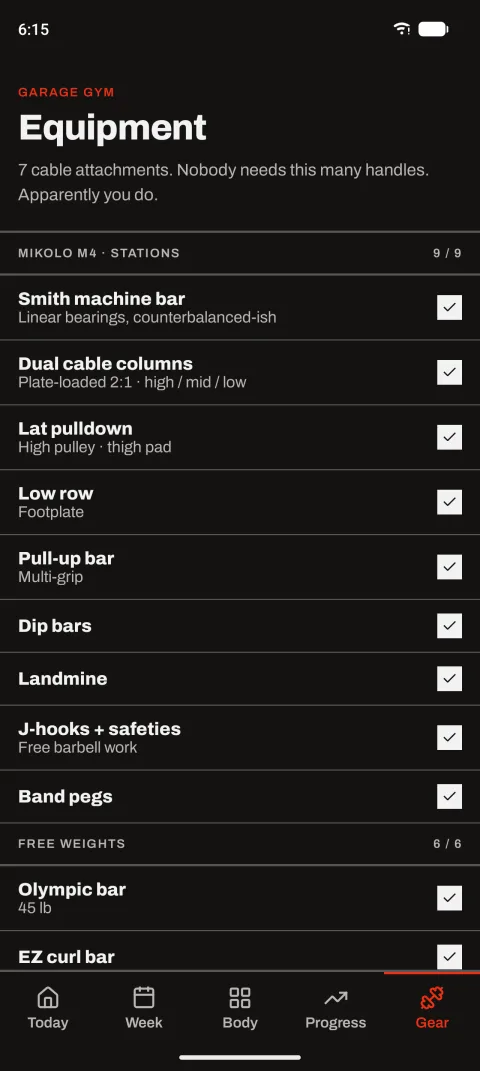
It knows your gear. Tell it what you own and it only suggests exercises you can actually do, with weight steps that match your dumbbells, plates and cable stack.
It can’t reach the internet. The app has no internet permission. Your training log lives on your phone and in backups you control.
What it does
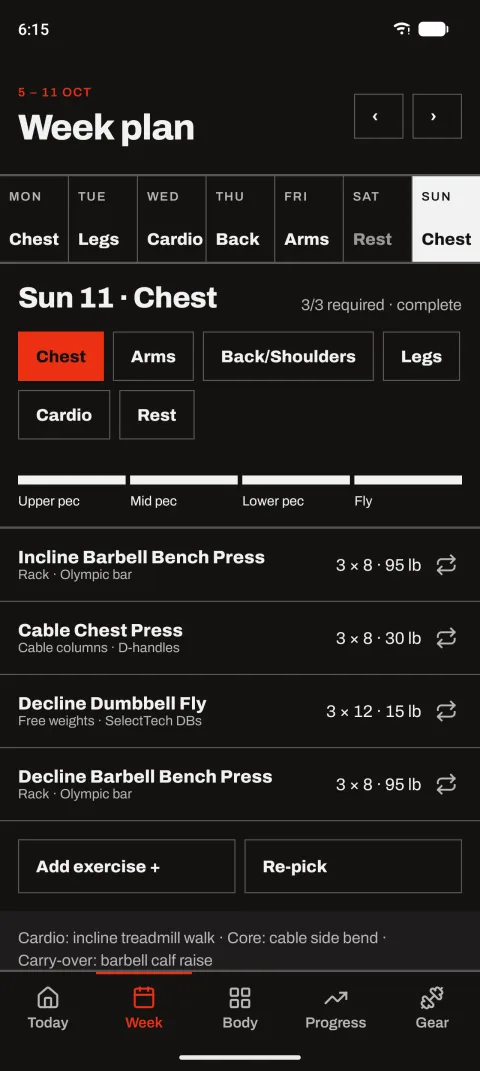
PLANWeek plannerPick a focus for each day: chest, arms, back and shoulders, legs, cardio or rest. Each day comes pre-filled, and you can swap, add or re-pick anything.
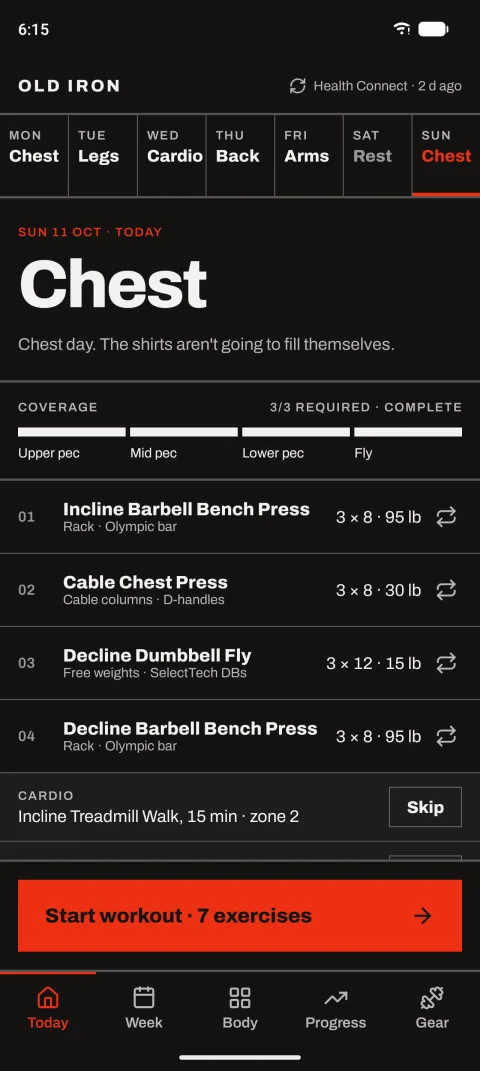
PLANCoverage meterEach focus is split into parts (chest is upper, mid, lower and fly). The meter shows what today covers and flags anything required that’s missing.
PLANCardio, core and catch-upEvery lifting day also gets a cardio slot, a core slot for bracing work, and a slot for a muscle that’s falling behind. Skip any of them.
PLAN653 exercisesFree weights, barbells, Smith machine, cables and bodyweight, each mapped to the muscles it works. Add your own when something’s missing.
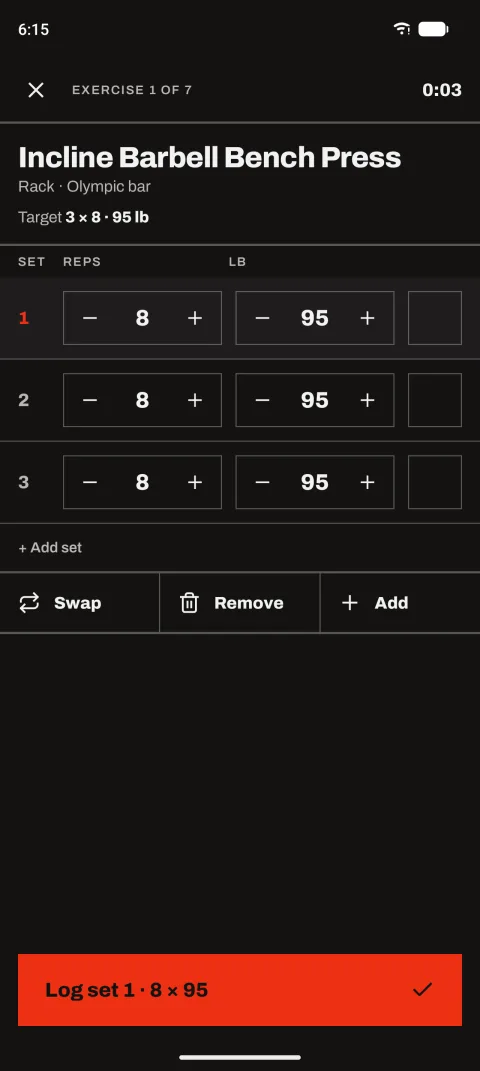
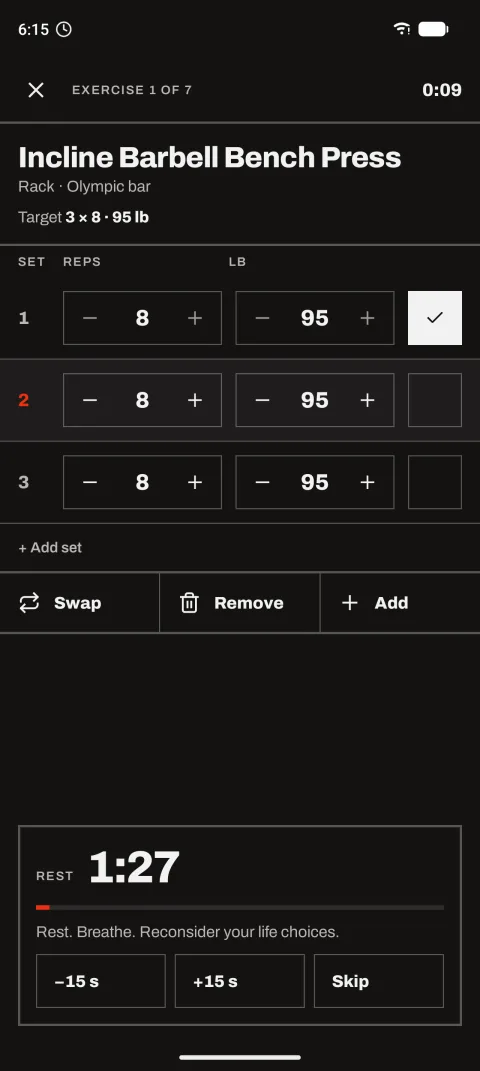
TRAINSet tableReps and weight for each set. Change the weight once and later sets follow.
TRAINRest timerStarts after each set. Leave the app and it keeps counting in a notification with +15 s and Skip buttons, and on your watch, then buzzes when rest is over.
TRAINProgressive overloadRate each exercise: Sucked, Really hard, Felt good or Too easy. Two good sessions at the same weight and it tells you to go up. Three at the same weight and it suggests a variant.
TRAINCardio loggingMinutes, distance and incline or level, with an estimated calorie burn from standard activity values and your body weight.
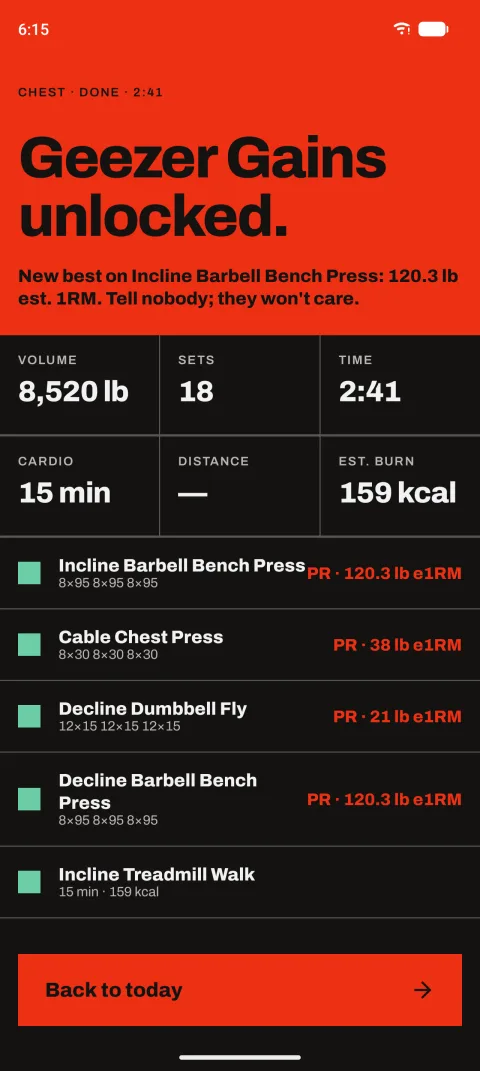
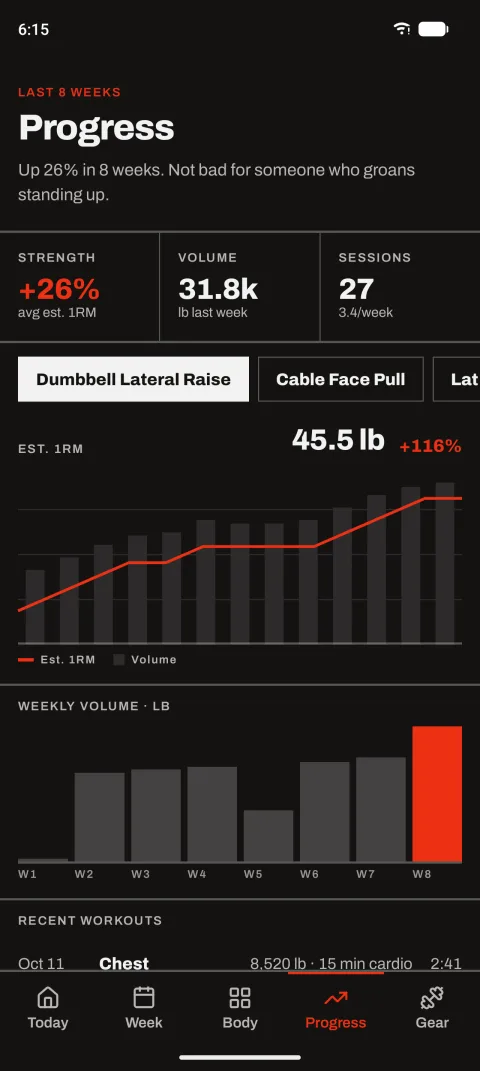
PROGRESSWorkout summaryVolume, sets, time and cardio, with personal records by estimated one-rep max. A record turns the screen red.
PROGRESSCharts and trendsStrength trend over eight weeks, an estimated one-rep max chart for each exercise, weekly volume and sessions per week.
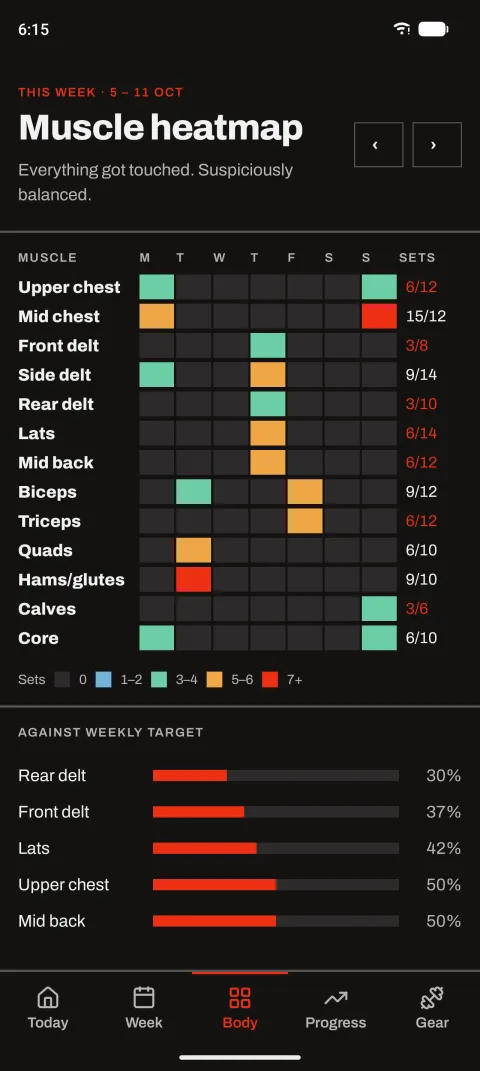
PROGRESSMuscle heatmapSets per muscle per day against weekly targets, with the most neglected muscles called out by name.
YOUR DATAEncrypted backupsPassphrase-protected backups to a folder you choose, by hand or on a schedule. Restore with a one-step undo.
YOUR DATAHealth ConnectOptional. Finished workouts show up next to your Pixel Watch or Fitbit data, and heart rate and calories from your watch appear in the summary. Walks and runs your watch recorded come in too.
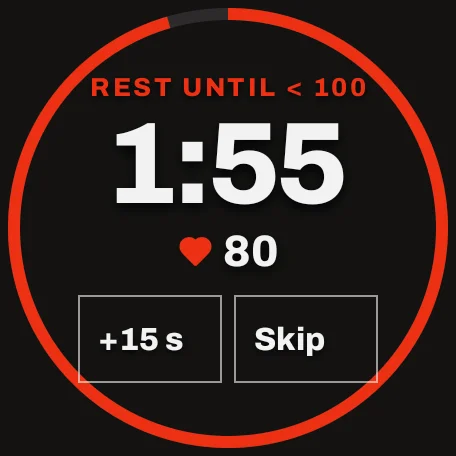
WATCHRest on your wristThe countdown appears on your watch seconds after you log a set, with +15 s and Skip that drive the phone’s timer. It stays on the watch face while you rest.
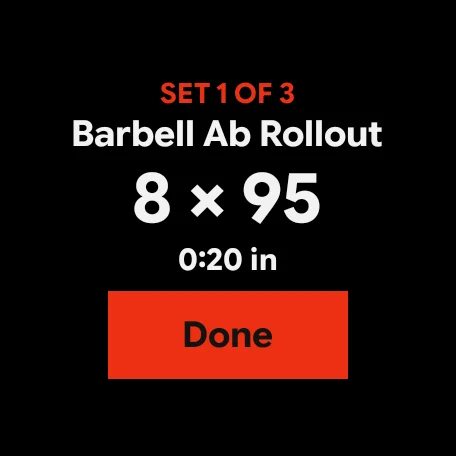
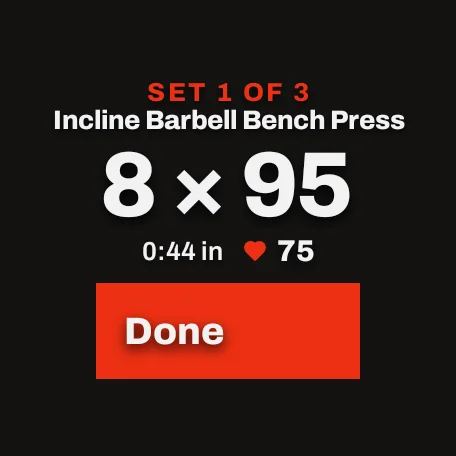
WATCHLog a set from the watchThe watch shows the set to do next, like “SET 2 OF 3 · 8 × 95”. Tap Done and the phone logs it and starts your rest.
WATCHTile and complicationThe tile shows today’s focus, then the next set with a Done button mid-workout, then the rest countdown. Add the complication to your watch face for today’s focus at a glance, counting down while you rest.
WATCHLive heart rateWhile a workout runs, the watch reads your heart rate and shows it next to your set and rest, on the watch and on the phone.
WATCHRest by heart ratePrefer to rest until you’ve recovered? Set a line, say 100 bpm, and the rest ends once you drop below it, after at least 30 seconds. The timer stays as the limit.
PROGRESSRecovery trendEach rest measures how fast your heart rate falls in the first minute. Progress shows that recovery against four weeks ago.
YOUR DATAWatch cardio, importedCardio another app recorded in the last 30 days, like a walk tracked on your watch, joins your history with minutes, distance, calories and heart rate. It’s labelled with the app that recorded it.
Real lines from the app
It talks back.
“Rest. Breathe. Reconsider your life choices.”
“Too easy? Bold claim. The plates heard you.”
“Calves: 0 sets. Bold strategy for a man who wears shorts.”
“Up 26% in 8 weeks. Not bad for someone who groans standing up.”
“Done for today. Go home. Wait — you are home.”
“Backed up. Your gains are now immortal. Your knees are not.”
In use
Screens from the current build, with made-up training history.
Today’s planWeek plannerRanked swapsLogging setsRest timerHow did that feel?A new recordMuscle heatmapProgressYour gear
Wear OS · Pixel Watch
Leave the phone on the bench.
The watch app keeps up with the workout on your phone. Log a set, run your rest, and get told when it’s time to lift again, without picking the phone up between sets. Your heart rate rides along on both screens, and the rest can wait until it drops. Today’s focus can sit on your watch face as a complication. Planning, rating and progress stay on the phone, where there’s room for them.
Tile: todayTile: next setSet, with heart rateRest until < 100 bpmRest’s over
How a workout goes
01Set up your gear once. Tick the stations, free weights and cardio machines you have, and add your cable attachments.
02Plan the week. Pick a focus for each day. It fills itself in; swap whatever you don’t fancy.
03Train. Start the workout, log each set, and let the rest timer run, even with the app closed.
04Say how it felt. If you’ve earned more weight, it asks. You can accept, or tap “Keep 45. I’m sandbagging.”
05Finish and check in. See the summary, then Progress for trends and Body for what you’ve hit this week.
What it doesn’t do (yet)
The watch is a companion. It needs your phone nearby. Start workouts, rate exercises and check progress on the phone.
No form videos. Exercises have still pictures in the app, not animations.
Heart rate doesn’t set your weights. It’s there to watch and to time rests. How a set felt is what drives the next target.
Android only, dark theme only. And it isn’t a coach: calories and one-rep maxes are estimates, not medical advice.
Free
Not a trial. Not a funnel.
I built it for my own training, and it costs nothing. There’s no purchase, no subscription, no “Pro” tier and nothing to unlock. It’s the whole app.
01No adsFree doesn’t mean you’re the product. Nothing is selling your attention.
02No accountNo sign-up, no email, no sign-in. Install it and lift.
03No analyticsNo tracking, no crash reporting, no telemetry. The app can’t reach the internet.
04Your backupsEncrypted with your passphrase and saved where you choose. Lose the passphrase and nobody can open them, including me.
Your training log stays yours
Everything is stored on your phone. Health Connect is optional and also stays on the device. RotherTech never receives a single rep.